RIHLAOne brings State Pilgrims Welfare Boards, field officers and pilgrims together, from the registration link to check-in at the hotels in Makkah and Madinah.
Each team has an app shaped for its work. They share one source of truth, so a change made by one is seen by all.
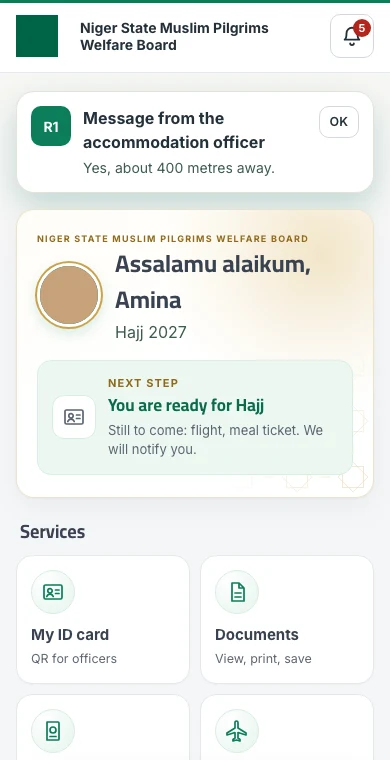
For every pilgrim
Pilgrim app
Registration, passport, payment, documents and a digital ID, on any phone.
Register with a phone number and PIN
Scan the passport with the camera
Pay, upload proof, get the receipt
Visa, flight, hotel and meals in one place
For State Pilgrims Welfare Boards
State Board Console
Run your exercise from the registration link to departure.
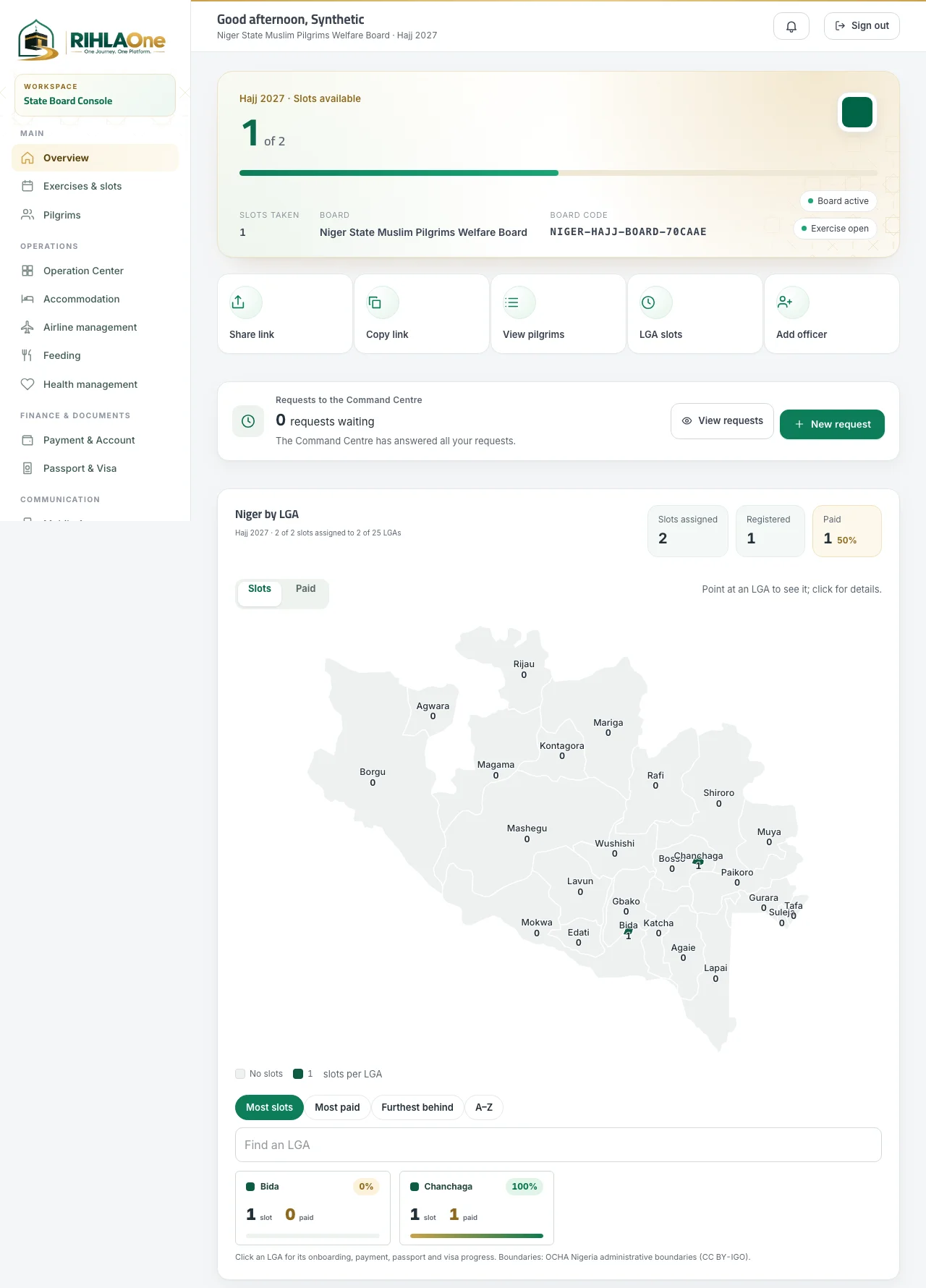
Slots per LGA on your state map
Passport & Visa desk
Payments, proof and receipts
Accommodation, airline, feeding and health
For officers at the airport, hotels and meals
Field Officer app
One scan shows who the pilgrim is and where they should be.
Scan the pilgrim's QR code
Check in for flights, hotels and meals
See who is not yet checked in
Message pilgrims from the field
For the national team
Command Centre
Every board, every exercise and every slot in one live view.
Create boards and their administrators
Allocate slots to each state
Answer boards' slot requests
Follow the national pipeline
The pilgrim app
Everything a pilgrim needs, in their hand
Clear steps, documents ready to print or save, and a digital ID card, in plain language on any phone.
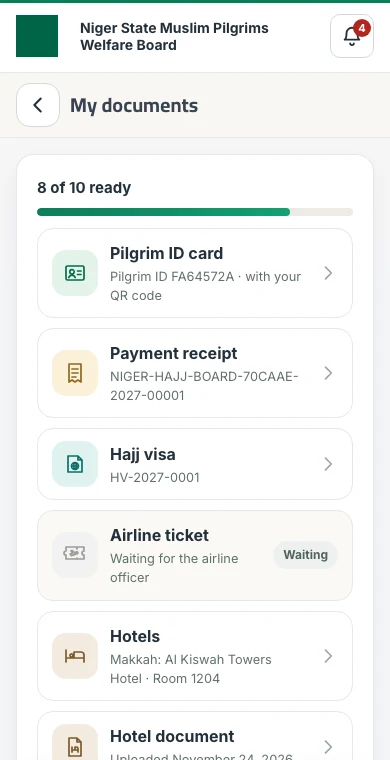
All documents in one place
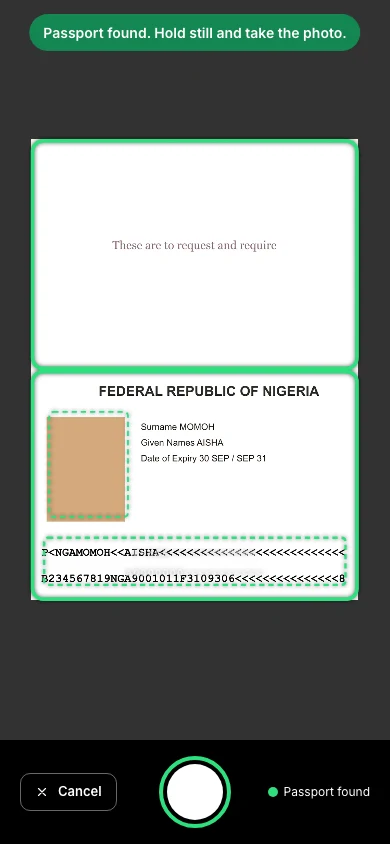
Passport read by the camera
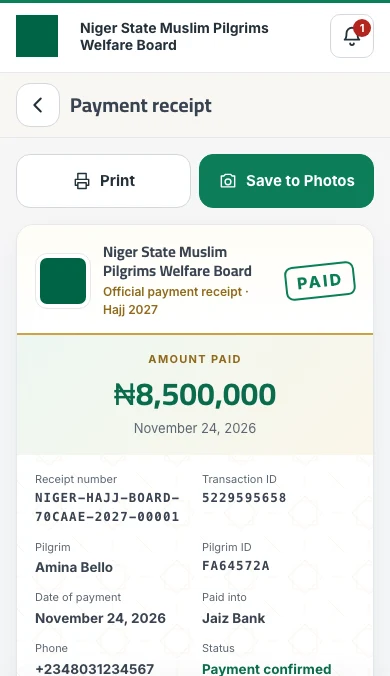
Official payment receipt
How it works
Seven simple steps for every pilgrim
Register
Open the board's link and take a slot with a phone number and PIN.
Your details
Name, state, LGA and a photo.
Passport
The camera reads it and checks the expiry.
Verification
The Passport & Visa officer confirms it.
Payment
Pay the board, upload proof, receive a receipt.
Documents
Visa, flight, hotel and meal ticket arrive in the app.
Check-ins
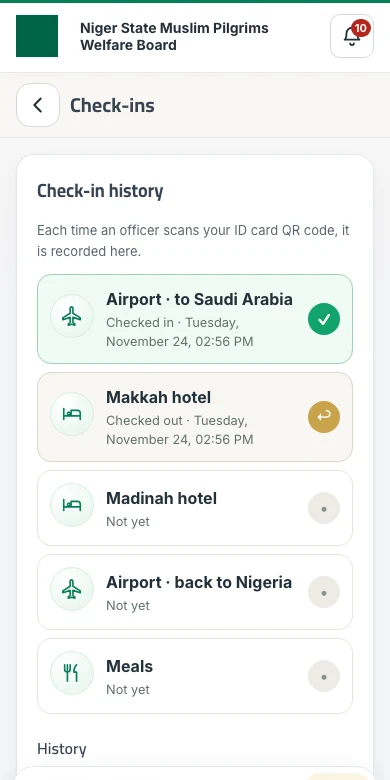
Officers scan the QR at the airport, hotel and meals.
Passport scanning
The outline turns green when the passport is right
Pilgrims hold their open passport inside a passport-shaped outline. It stays red until the machine-readable lines can be read and their check digits agree, then turns green. The number and expiry fill in by themselves, and a passport expiring within six months is stopped early.
Camera, or a photo from the gallery
Nigerian passport, name and expiry checked
The officer sees what was read, beside the photo
Slots by LGA
Share your slots fairly across every LGA
The State Board Console shows your state on a map. Assign slots to each LGA, follow registrations and payments as they come in, and ask the Command Centre for more from the same page.
Slots, registered and paid per LGA
Sort by most slots, most paid or furthest behind
Requests for more slots in one click
ac.rihlaone.com
Digital ID and check-ins
One QR code from the airport to the last meal
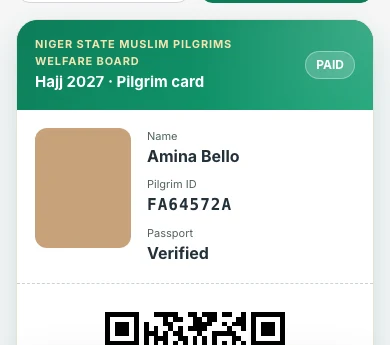
Every paid pilgrim gets a digital ID card with a QR code. Field officers scan it to see the pilgrim's photo, flight, room or meal and check them in with one tap. The pilgrim sees it in their history; the board sees it live.
Airport, hotel check-in and check-out, meals
Live roster: checked in and not yet
Print the card or save it to the phone
Command Centre
A national view, board by board
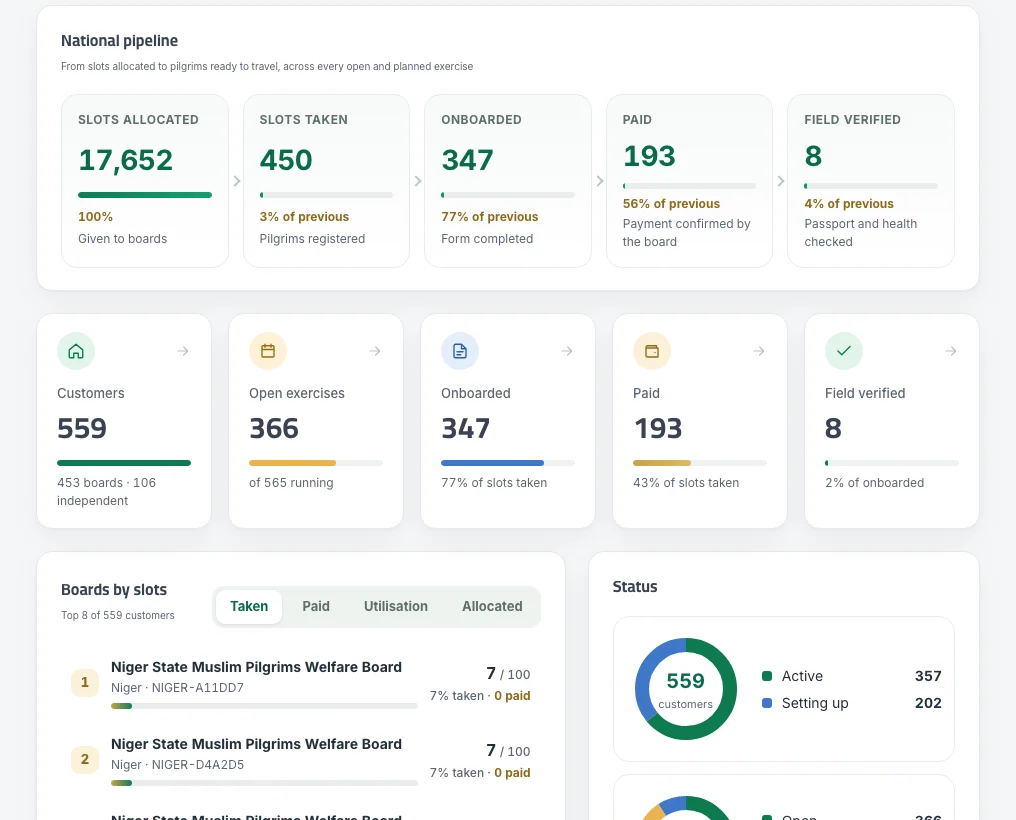
Follow every exercise from slots allocated to pilgrims field verified, rank boards by slots and payments, and answer slot requests from one queue.
National pipeline at a glance
Boards and independent operators
A record of every change
rcc.rihlaone.com
Features
Everything a Hajj exercise needs
Passport scanning
Read on the phone, check digits verified.
Slots by LGA
All 774 LGAs mapped, with live progress.
Payments and receipts
Proof of payment review and printable receipts.
QR check-ins
Airport, hotel in and out, and every meal.
Operation Centre
Hotels, airlines and food vendors in one catalogue.
Documents
Open, print or save every travel document.
Two-way chat
Pilgrims talk to their officers directly.
Alerts
Passport, payment, visa and check-in updates.
Health
Medical reports, health flags and incidents.
Slot requests
Boards ask; the Command Centre answers.
Roles and teams
Each officer sees only what they need.
Reports
Exercise reports ready to print and share.
Benefits
Better for everyone on the journey
For pilgrims
Everything on their own phone
Always know the next step
Documents ready to print or save
A direct line to their officers
For State Hajj Boards
No more paper forms and spreadsheets
Live progress for every LGA
Passports checked before review
Payments matched, receipts issued
For the Command Centre
One national view of every exercise
Fair, transparent slot allocation
Requests answered in one queue
A full record of every change
For field officers
One scan instead of long lists
See at once who is missing
Airport, hotels and meals
Message a pilgrim in a tap
Security and privacy
Pilgrims' data, handled with care
Passports, payments and health details are personal. RIHLAOne keeps them where they belong.
Each board walled offSeparated at the database level, not just on screen.
Authenticator sign-in for staffCommand Centre and board access need a second factor.
Access by roleOfficers see only what their work needs.
A record of every changeWho did what, and when.
Pilgrim PIN with lockoutFive wrong tries lock the account for a while.
Questions
Frequently asked
Do pilgrims need to download an app from a store?
No. The pilgrim app opens from the board's link in any phone browser and can be added to the home screen on Android and iPhone.
How does a board get started?
The Command Centre creates the board, its administrator and its exercise with slots. The board adds its logo, shares slots across its LGAs and sends its registration link to pilgrims.
Can it tell if a passport is genuine?
The app reads the passport's machine-readable lines and checks that the number, dates and check digits agree and that the name matches. That catches mistakes and altered details. The board's Passport & Visa officer still confirms the document.
Is each board's data kept separate?
Yes. Every board's pilgrims, payments and documents are walled off at the database level, and staff see only what their role allows.
What happens at the airport and in Saudi Arabia?
Field officers scan each pilgrim's QR code to check them in for the flight, into and out of hotels, and at meals. The pilgrim can show the code on their phone, or a printed or saved copy.
Bring RIHLAOne to your board
Talk to the RIHLAOne team about your next Hajj or Umrah exercise. We'll set up your board, your slots and your registration link.
Contact the RIHLAOne Command Centre team to arrange a demo.Board staff sign in